Meal Periods
The Meal Periods option allows users to add the meal types and times applicable for an outlet.
Perform the following steps to create a new meal period:
Navigate to Settings ➜ All Settings ➜ Property, buildings, & outlets (under General).
Navigate to the Meal Periods tab.
Click Add. The New Meal Period dialog box appears.
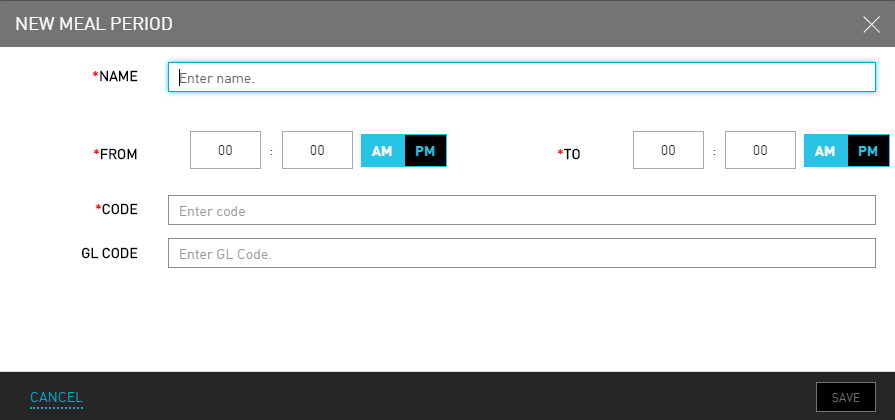
Refer to the following table and fill in the fields to add a new meal period:
|
Field |
Description |
|---|---|
|
Name |
The name of the meal. |
|
From |
The start time from when the meal is served. |
|
To |
The end time till when the meal is served. |
|
Code |
A unique code to identify the meal period. |
|
GL Code |
A unique general ledger code to identify the meal period. |
The start and end time configured for the meal period does not affect the charges posted. The charges can be posted prior to the start time and beyond the end time of the meal period.
Click Save. A new meal period is created.